Prop up your iPhone and start juggling. UpKick’s on-device AI counts every touch, spots which foot played it and coaches your rhythm. Then challenge your squad.
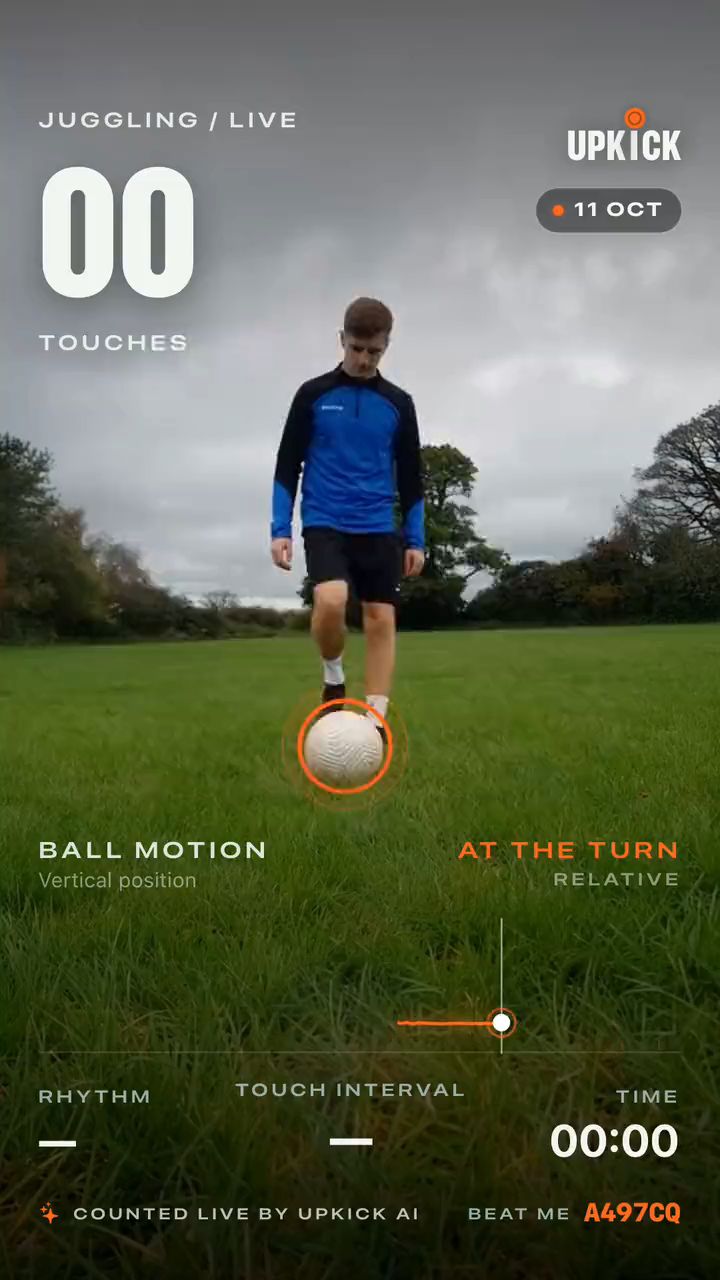
A real replay exported from UpKick: 26 touches, counted live.
Set up in 30 seconds
Prop it.Step back.Juggle.
01
Lean your phone
Prop your iPhone against a bottle or a tripod, with the camera facing you.
02
Step back
Stand 2–3 metres (6–10 feet) away with your whole body in frame. Good light and a plain background help the AI.
03
Start juggling
Press start. UpKick counts every touch out loud, with haptics, so you never have to look at the screen.
No sensors
No special ball
What you get
A coach that watches every touch.
Counts every touch
A live count of every touch
Real-time ball tracking with on-device AI, with no sensors and no special ball. A live counter for every touch, your current run and every drop, plus a voice count and haptics.
Knows what played the ball
Foot
Thigh
Chest
Head
Left or right
Touch IQ
A score for how you play
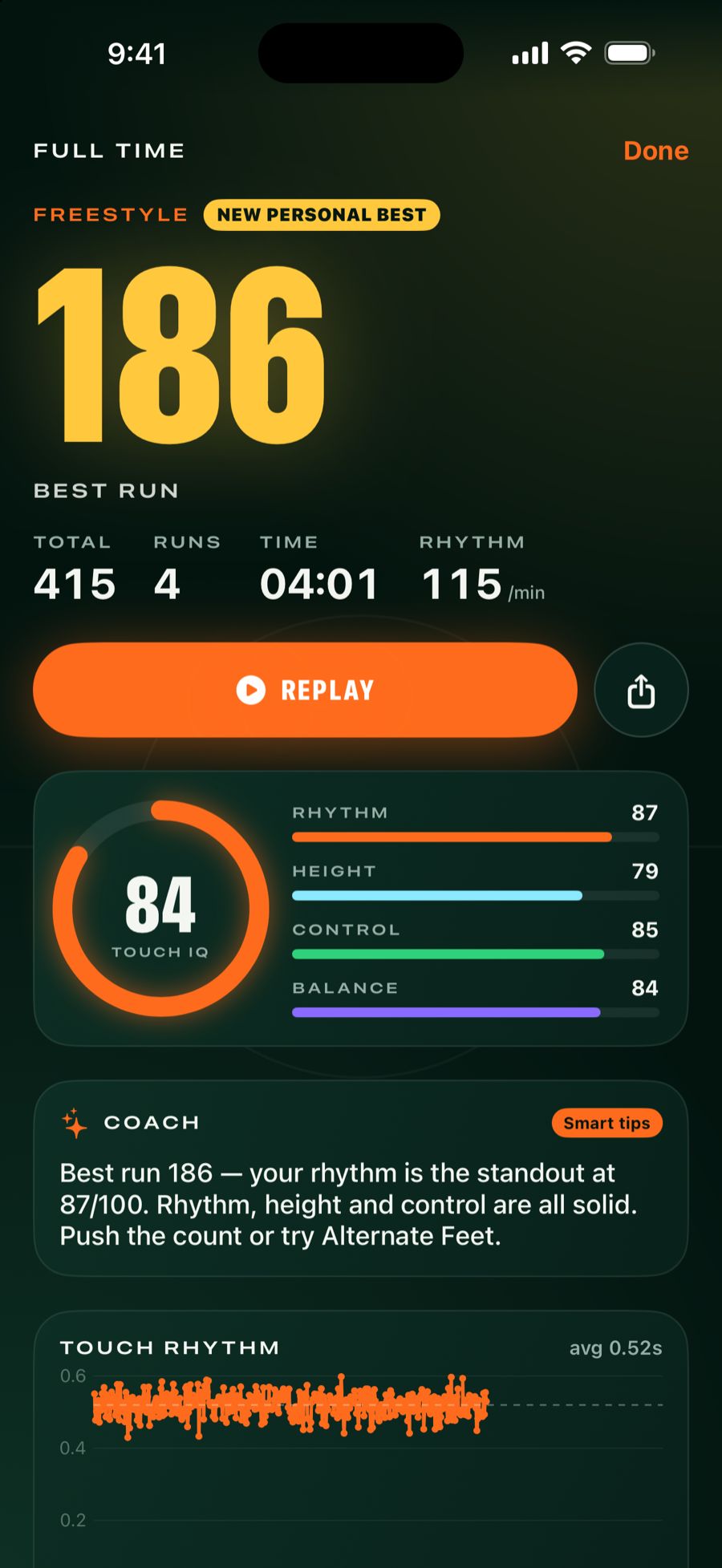
Every session gets a Touch IQ out of 100, built from five parts of your game.
Scored on
Rhythm
Height
Control
Balance
Volume
Coaching
Know what to fix next
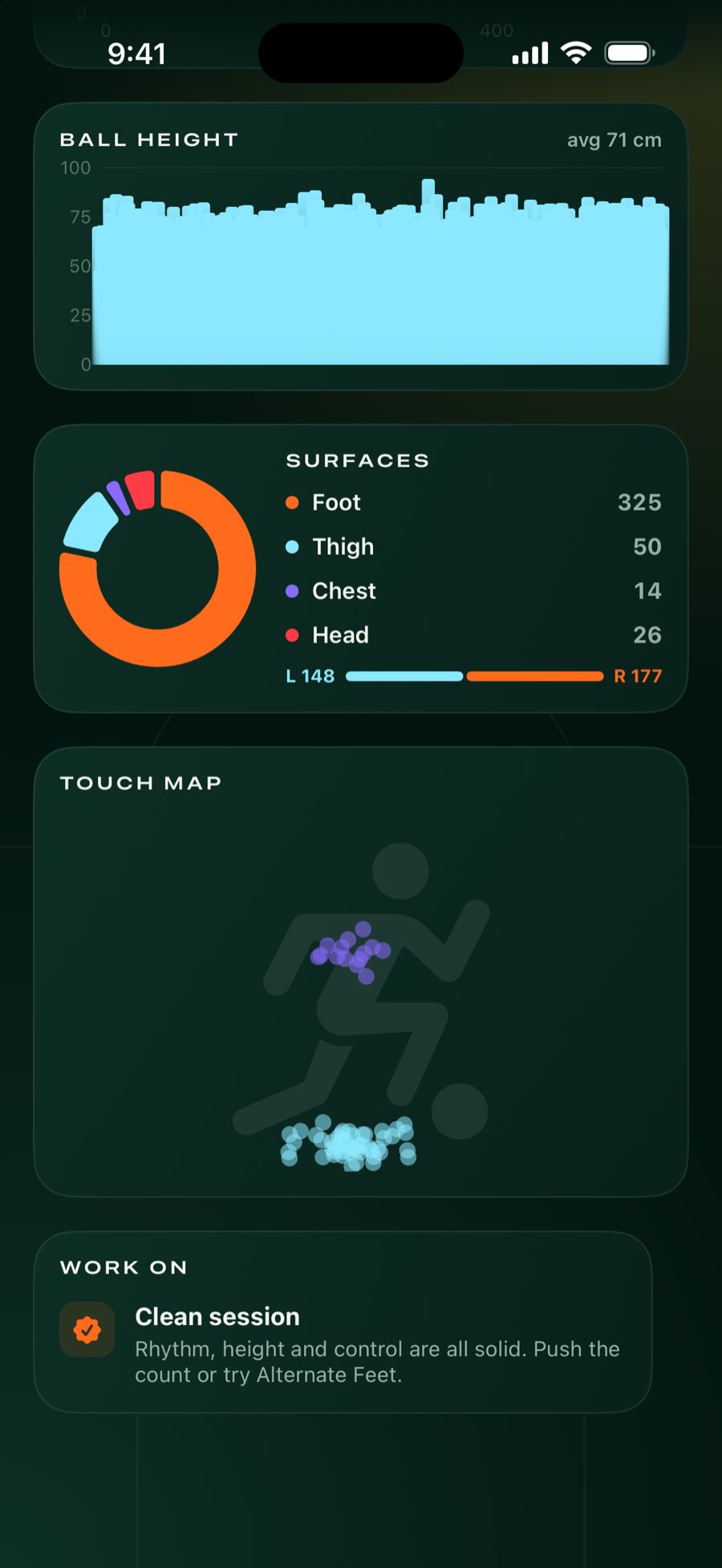
Session analysis shows your stronger foot, the ball height on every touch and every run. Then UpKick tells you what to work on: find your rhythm, lock the ankle, wake up your weak foot.
On iOS 26, iPhones with Apple Intelligence also get a personal note from an on-device AI coach after every session.
Replays
Replays worth sharing
Every session is recorded with the live counter on screen. Watch it back at ¼× or ½×, export the video with the counter burned in, or share a story-sized card. The clip at the top of this page is one.
Ball effects that build with your streak
Comet
On Fire
Volt
Storm
Galaxy
Combo
Training modes
Four ways to train
Pick a mode before you start.
Freestyle
Go for your longest run.
60s Time Attack
As many touches as you can in a minute.
Alternate Feet
Left, right, left, right.
Weak Foot
Train the foot you usually avoid.
Squad
Train with your squad
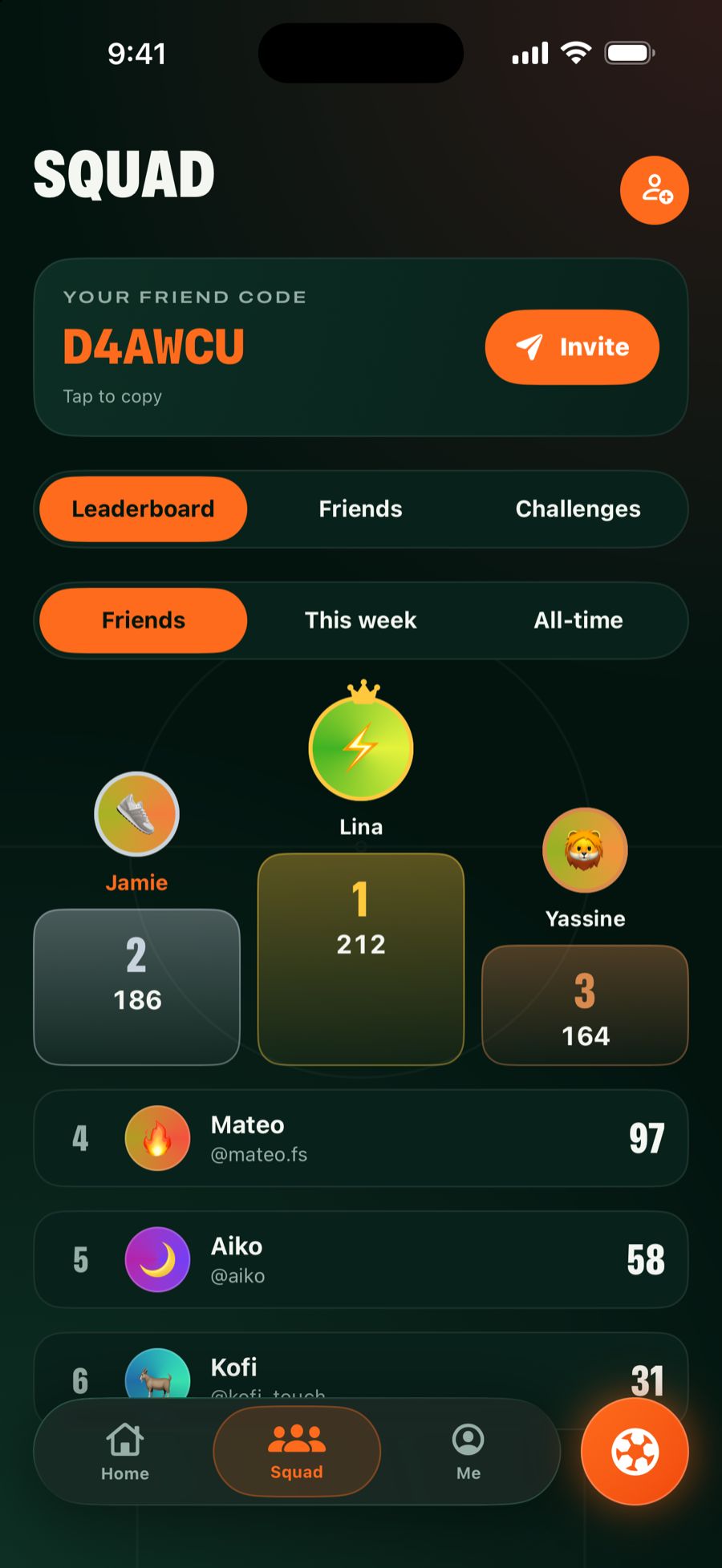
Add friends with a friend code, climb the friends, weekly and all-time leaderboards, and challenge them to beat your score.
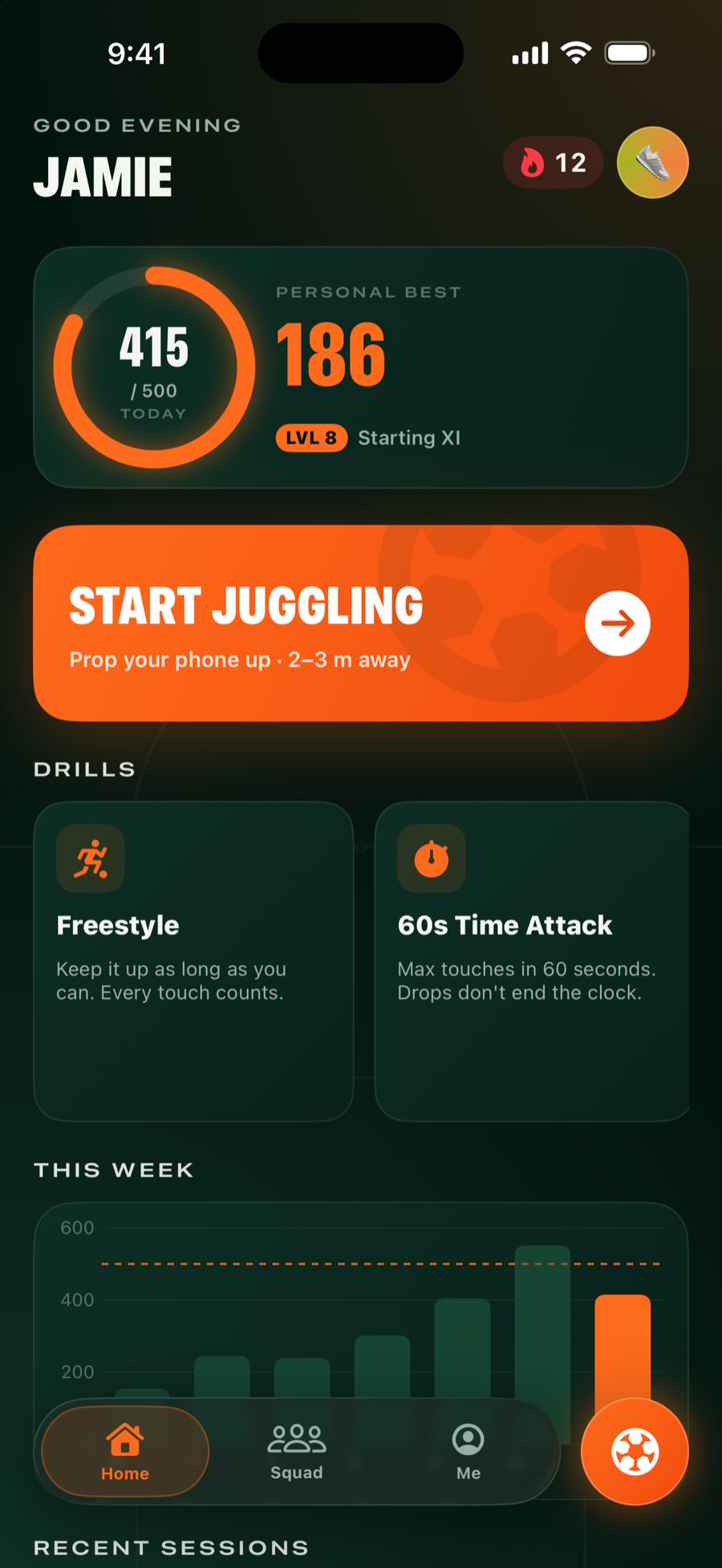
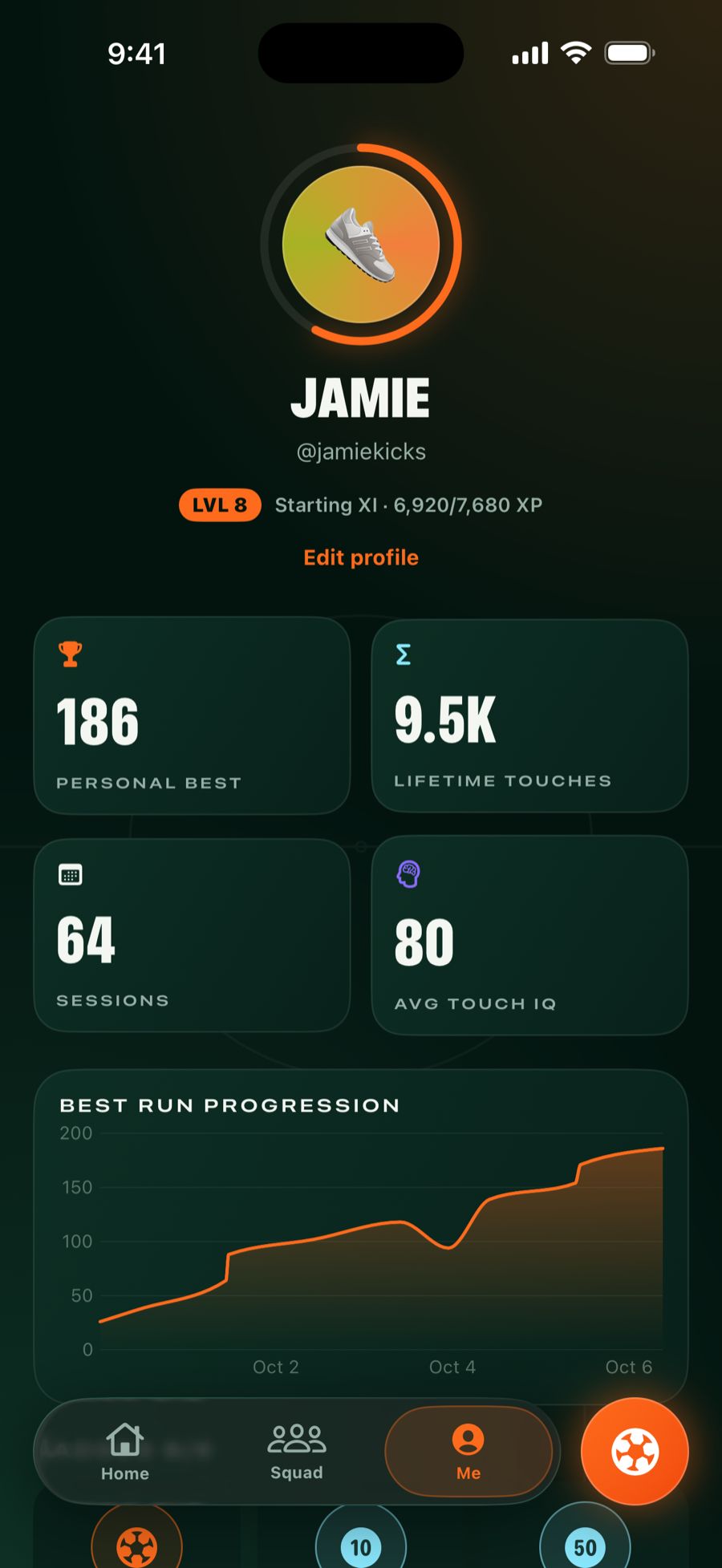
Daily touch goal, streaks, levels and milestones from Double Digits to the Thousand Club.
Inside the app
Every session, broken down.
Full time
Analysis
Home
Squad
Profile
Real app screens, shown with sample data.
Private by design
Counted on your phone.
UpKick’s ball tracking runs entirely on your iPhone. Your footage never has to leave it to be counted.
The camera feed is processed on your phone to follow the ball and count touches. It isn’t uploaded.
Your replays stay yours
Replays stay on your phone unless you save or share them.
Squad scores sync
When you use the squad features, your profile and session scores sync so friends and leaderboards can see them.
Delete any time
You can delete your account in the app, under Profile › Account.
Questions
Before you kick off.
Do I need a special ball or sensors?
No. UpKick uses your iPhone’s camera and on-device AI to track the ball. No sensors, no special ball.
How do I set up my phone?
Lean it on a bottle or a tripod with the camera facing you, then stand 2–3 metres (6–10 feet) away so your whole body is in frame. Good light and a plain background help.
Which iPhones does UpKick work on?
UpKick runs on iPhone with iOS 18 or later. The AI coach note uses Apple’s on-device model, so it appears on iOS 26 on iPhones that support Apple Intelligence.
Do I need a subscription?
Training sessions require an UpKick Pro subscription, weekly or yearly. You see the price for your country before you subscribe, and you can cancel at any time in your Apple Account settings.
Is my video uploaded?
No. Ball tracking runs on your iPhone, so your footage never has to leave it to be counted. Replays stay on your phone unless you save or share them.
How do challenges work?
Add a friend with their friend code, pick a target and a mode, and send the challenge. They see it waiting in their Squad tab.
Where can I get help?
The support page has setup tips and a way to contact us.